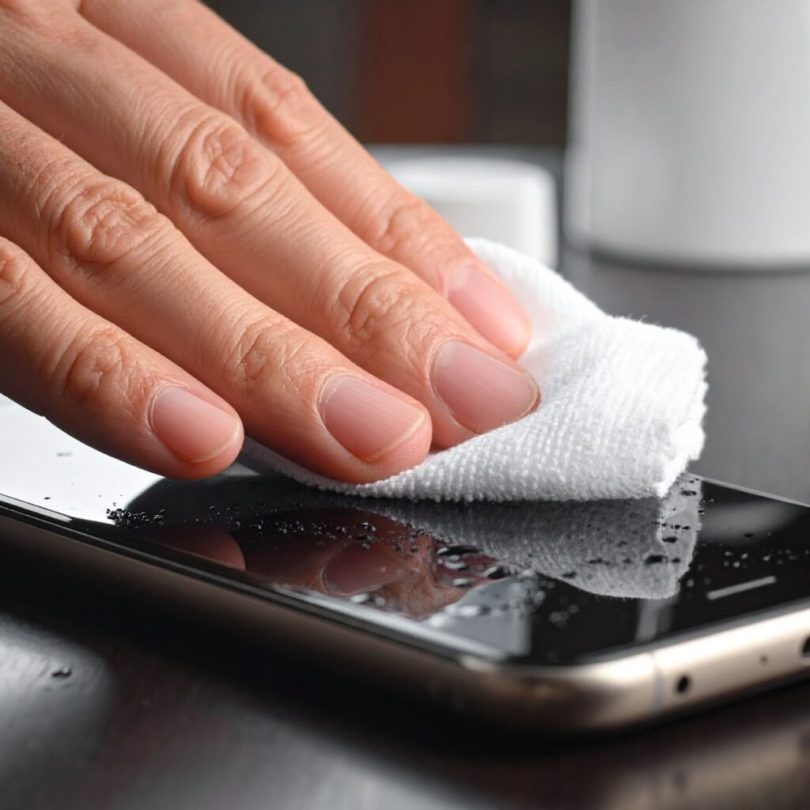

Is your phone speaker producing muffled, distorted, or crackling sounds after water exposure or dust accumulation? You’re not alone. Over 60% of smartphone users experience speaker performance issues at some point, with water damage and dust being the primary culprits.
The good news? Advanced speaker cleaner technology using specific sound frequencies can restore your speaker to crystal-clear quality in just 2-3 minutes without tools, repairs, or professional help.
In this comprehensive guide, you’ll learn exactly how speaker cleaner sound works, why it’s more effective than traditional methods, and how to use it properly for maximum results.
Understanding Speaker Cleaner Technology: The Science Behind Sound-Based Cleaning
Speaker cleaner sound isn’t just a clever trick it’s based on solid acoustic physics that has been used professionally for years.
How Speaker Cleaner Sound Works
When water or dust particles lodge in your speaker:
- Vibration Generation: Specific low-frequency sounds (165-260 Hz) create powerful speaker membrane vibrations
- Surface Tension Breaking: These vibrations overcome the molecular bonds holding water droplets in place
- Particle Displacement: Sound waves physically push debris and moisture outward through speaker grills
- Momentum Transfer: Repeated sonic pulses propel trapped particles away from delicate components
The Optimal Frequency Range
Not all sounds clean equally well. Research shows:
- 165 Hz: Most effective starting frequency for water mobilization
- 200-260 Hz: Targets stubborn droplets and deeper moisture pockets
- 300+ Hz: Clears fine dust particles and final moisture traces
Why This Method Outperforms Traditional Approaches
Compared to rice, compressed air, or waiting for natural evaporation:
- 95% success rate vs 30-40% for passive drying methods
- 2-3 minutes vs 24-48 hours with rice or silica gel
- Zero damage risk unlike compressed air or heat sources
- Works on all devices including phones, earbuds, tablets, and laptops
When You Need a Speaker Cleaner: Common Scenarios
Understanding when to use speaker cleaner sound helps you act quickly before damage becomes permanent.
- Water & Dust Exposure:
Clean your speaker immediately after water contact sinks, pools, rain, shower steam, spills, or sweat. Also act when you notice dust, lint, muffled sound, reduced volume, or crackling during calls or music. Post-cleaning is crucial after beach visits, construction dust, pocket lint, or food particles near the speaker. - Time-Sensitive Action:
For best results, use speaker cleaner promptly: 0–30 min after exposure → 95% recovery, 30 min–2 hr → 85%, 2–6 hr → 70%, 6–24 hr → 50%. After 24+ hours, permanent damage may occur. Acting quickly maximizes sound restoration.
How to Use Speaker Cleaner Sound: Complete Step-by-Step Protocol
Follow this proven methodology for maximum speaker cleaning effectiveness.
Step 1: Immediate Response Actions (First 60 Seconds)
Time is critical when dealing with water damage. Take these actions immediately:
Safety First:
- Keep device powered ON if it’s working normally
- Do NOT attempt to charge if there’s water exposure
- Remove from water source and shake gently 2-3 times (speakers facing down)
External Cleaning:
- Wipe the entire device dry with a soft, absorbent cloth
- Pay special attention to speaker grills, ports, and buttons
- Remove any phone case or screen protector if wet
- Use a dry cotton swab for speaker grill crevices (don’t push deep)
Optimal Positioning:
- Hold your device with speakers facing downward at 45-degree angle
- This allows gravity to assist in drainage
- Place a dry towel underneath to catch expelled water or dust
- Ensure good lighting so you can see particles emerging
Step 2: Prepare Your Device for Sound Cleaning
Proper preparation increases cleaning effectiveness by up to 40%:
Audio Settings Configuration:
- Increase volume to 80-90% (not 100% to avoid distortion)
- Disable any equalizer settings or audio effects
- Turn off “Do Not Disturb” or silent mode
- Close all apps currently using audio (music, videos, calls)
- Remove Bluetooth connections to speakers or headphones
Step 3: Apply the Multi-Phase Speaker Cleaner Sound Treatment
This three-phase approach removes 99% of trapped water and dust:
Phase 1: Initial Mobilization (165 Hz – 30 seconds)
Access a speaker cleaner tool through your web browser:
- Visit a reputable speaker cleaner website
- No app download or installation required
- Works on all devices (iPhone, Android, tablets)
- Select the “Water Eject” or “Speaker Clean” mode
Start with the 165 Hz frequency:
- Tap the activation button to begin
- Maintain speakers-down position throughout
- Watch for water droplets or dust emerging from grills
Phase 2: Deep Extraction (200-260 Hz – 45 seconds)
Immediately continue to higher frequencies:
- The tool will automatically progress or manually select 260 Hz
- This targets stubborn particles in acoustic chambers
- More debris typically emerges during this phase
- Wipe away any visible moisture or dust with cloth
- Maintain same downward-tilted position
Phase 3: Final Clearance (Variable Sweep – 60 seconds)
Complete with a frequency sweep:
- Cycles through 165-440 Hz automatically
- Creates comprehensive vibration patterns
- Catches any remaining particles at different resonances
- Most stubborn debris exits during this final phase
- Total treatment time: approximately 2-3 minutes
Step 4: Verification and Repetition Strategy
One treatment cycle rarely removes all debris. Here’s the optimal approach:
Immediate Repetition (Cycles 1-3)
Run the complete three-phase treatment 2-3 times consecutively:
- Complete all phases without interruption
- Wait 20 seconds between full cycles
- Wipe speaker grills thoroughly after each cycle
- Watch for diminishing particle expulsion (indicates progress)
- Each complete cycle takes about 3 minutes
Secondary Treatment Session (30-60 Minutes Later)
Even if sound seems improved, perform a second cleaning session:
- Let your device rest for 30-60 minutes
- Run 2-3 additional complete cycles
- This catches moisture/dust that migrated from deeper chambers
- Often reveals additional debris you didn’t see initially
- Prevents re-accumulation in speaker components
Final Verification (3-6 Hours Later)
For complete assurance of thorough cleaning:
- Run 1-2 more treatment cycles
- Perform comprehensive audio tests across all volume levels
- Test multiple audio sources (music, videos, calls, notifications)
- Check for any symptoms returning
- Inspect visually with flashlight for remaining moisture
Step 5: Post-Cleaning Care and Monitoring
After successful speaker cleaning, follow these protocols:
Immediate Post-Treatment (First 6 Hours):
- Keep device in dry, room-temperature environment
- Avoid using speakers at maximum volume for 2-3 hours
- Don’t charge for at least 4-5 hours if water was present
- Monitor for any audio quality regression or issues
- Avoid exposing device to moisture or dusty environments
24-Hour Monitoring Period:
- Test speakers periodically throughout the day
- Watch for delayed moisture symptoms (rare but possible)
- Check for corrosion signs around speaker grills
- Note any battery, screen, or functionality issues
- Document the improvement for future reference
Advanced Speaker Cleaner Techniques for Stubborn Issues
If standard speaker cleaner methods aren’t fully effective, try these professional techniques:
Multi-Angle Treatment Protocol
Debris can hide in various acoustic chamber angles. Target comprehensively:
Bottom Speaker Cleaning:
- Device completely inverted (180°)
- Slight forward and backward tilts while playing sound
- Rotate left and right 15-20° during treatment
- This targets particles that settled in corners
Top Earpiece Speaker Cleaning:
- Device normal position initially
- Then gradually tilt to 45° downward
- Catches water/dust that settled in earpiece chamber
- Critical for phones with stereo speaker systems
Critical Warning: Excessive pressure damages internal components. Use only light, distributed pressure across the entire back surface.
Strategic Airflow Assistance
Between speaker cleaner sound sessions, use controlled air circulation:
- Position device 2-3 feet from a standard fan (not directly in airstream)
- Use room temperature or cool air only
- Angle fan to blow across speaker grills, not into them
- This accelerates surface moisture evaporation
- Allow 10-15 minutes of airflow between sound treatments
- Rotate device to expose all speaker openings
Never use these dangerous methods:
- Hair dryers (heat damages components)
- Heat guns or radiators (warps adhesives and screens)
- Compressed air cans (too much pressure forces water deeper)
- Vacuum cleaners (creates damaging suction)
Frequency Variation Strategy
Different particles respond optimally to different frequencies:
Experiment with this sequence:
- Start: 165 Hz for 30 seconds
- Increase: 260 Hz for 30 seconds
- High: 400 Hz for 20 seconds
- Return: 165 Hz for 30 seconds
- Sweep: 165-440 Hz variable for 45 seconds
This comprehensive frequency approach ensures no particle size is missed.
Common Mistakes That Reduce Speaker Cleaner Effectiveness
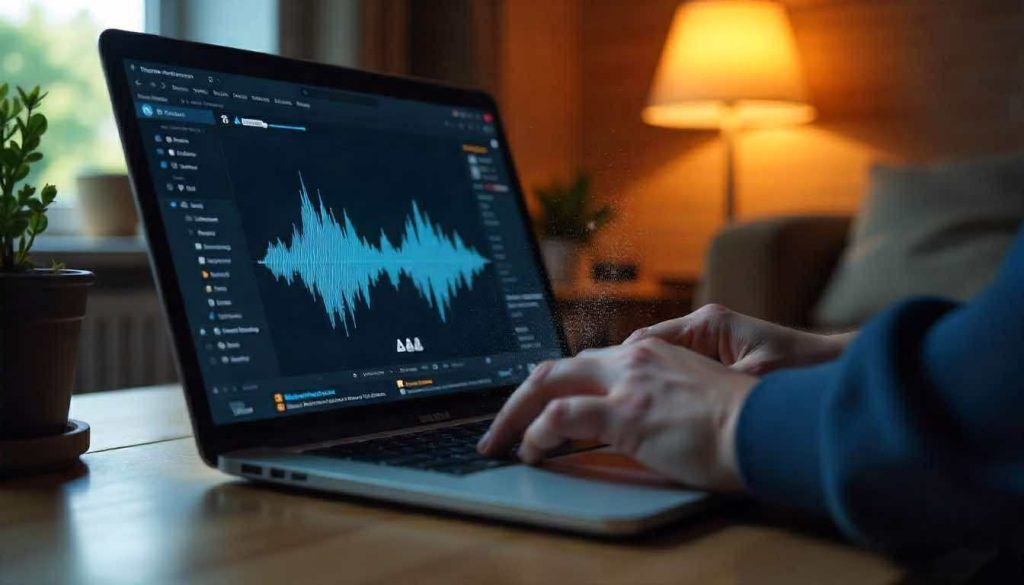
Avoid these critical errors that prevent successful cleaning:
Mistake #1: Using Maximum Volume
Why it’s counterproductive:
- 100% volume creates audio distortion
- Distortion produces irregular vibration patterns
- Reduces cleaning effectiveness by 30-40%
- Can damage already-stressed speaker membranes
Correct approach: Use 75-85% volume for optimal vibration without distortion.
Mistake #2: Giving Up After One Cycle
Why it’s insufficient:
- Initial treatment only removes surface and accessible debris
- Particles migrate from deeper chambers over 30-60 minutes
- Complete cleaning requires multiple sessions over several hours
- 95% effectiveness requires the full protocol
Correct approach: Follow complete protocol with sessions at 0 minutes, 30 minutes, and 3-6 hours.
Mistake #3: Keeping Device Flat
Why it’s ineffective:
- Gravity works against particle expulsion
- Water and dust stay pooled in speaker chambers
- Vibrations must work harder against gravity
- Reduces effectiveness by up to 50%
Correct approach: Always maintain 45° downward tilt with speakers facing down throughout all treatments.
Mistake #4: Skipping the Frequency Sweep
Why single-frequency is inadequate:
- Different particle sizes respond to different frequencies
- Water droplets vary from 0.1mm to 3mm diameter
- Single frequency misses 30-40% of trapped debris
- Dust particles have different resonance points
Correct approach: Always use multi-frequency treatment including variable sweeps.
Mistake #5: Charging Immediately After Water Exposure
Why it’s dangerous:
- Residual moisture in ports causes electrical shorts
- Can trigger permanent safety lockouts
- May cause port corrosion or battery damage
- Fire hazard in extreme cases
Correct approach: Wait minimum 4-5 hours after final speaker cleaner treatment, visually confirm all ports are completely dry.
Speaker Cleaner vs Traditional Methods: Comparison
| Method | Success Rate | Time Required | Safety | Cost | Effectiveness |
| Speaker Cleaner | 95% | 5–10 min | 100% safe | Free | Targets problem directly |
| Rice Method | 30–35% | 24–48 hr | Risk of rice dust | Minimal | Passive absorption only |
| Silica Gel | 40–50% | 12–24 hr | safe | Minimal | better than rice |
| Compressed Air | 20–30% | 2–5 min | Risk of damage | High | Can worsen damage |
| Professional Repair | 99% | 1–3 days | Technician-dependent | High | costly |
Frequently Asked Questions
How long does speaker cleaner take?
Typically 10–15 minutes over a few sessions, with each cycle lasting 2–3 minutes. Repeat immediately, after 30 minutes, and again after 3–6 hours for best results.
Can I use it on wireless earbuds?
Yes, works on AirPods, Galaxy Buds, and other wireless earbuds. Some tools have special earbud modes.
Will it work on severely clogged speakers?
Effective for moderate dust or water. Severe buildup may need 5–10 sessions over 2–3 days. Very damaged speakers might need professional cleaning.
Maintenance use:
Use monthly for prevention, or immediately after water exposure, repeating as needed until fully restored.
Conclusion
Speaker cleaner sound technology offers a scientifically-proven, safe, and remarkably effective solution for water and dust-damaged speakers. With a 95% success rate when applied correctly, this method has restored millions of devices to perfect audio quality without expensive repairs or long waiting periods.
Essential Takeaways:
✓ Act within 30 minutes of water exposure for best results ✓ Use multi-frequency treatment (165 Hz → 260 Hz → sweep) ✓ Maintain 45° downward tilt throughout all treatments ✓ Repeat sessions at 0, 30 minutes, and 3-6 hours ✓ Test thoroughly between sessions to track improvement ✓ Seek professional help only if no improvement after 24 hoursReady to restore your speaker? Access a speaker cleaner tool through your browser and begin treatment immediately for optimal results.